How to open a CBCT scan on a Mac or iPad — no installation
The viewer that comes with a CBCT scan usually runs on Windows only. Here is how to open a 3D dental scan on a Mac, MacBook or iPad, in your browser, in a few minutes.
Why doesn’t it open on a Mac?
CBCT (cone beam computed tomography) is the 3D X-ray of dentistry: it captures one volume of the teeth, jaws and sinuses. The
scan is stored in DICOM format, and the CD or download usually includes the scanner manufacturer’s
viewer — almost always a Windows .exe. That is why it won’t start on a Mac, an iPad or a Chromebook.
The good news: DICOM is an open standard; you don’t need the manufacturer’s program.
The solution: a browser-based CBCT viewer
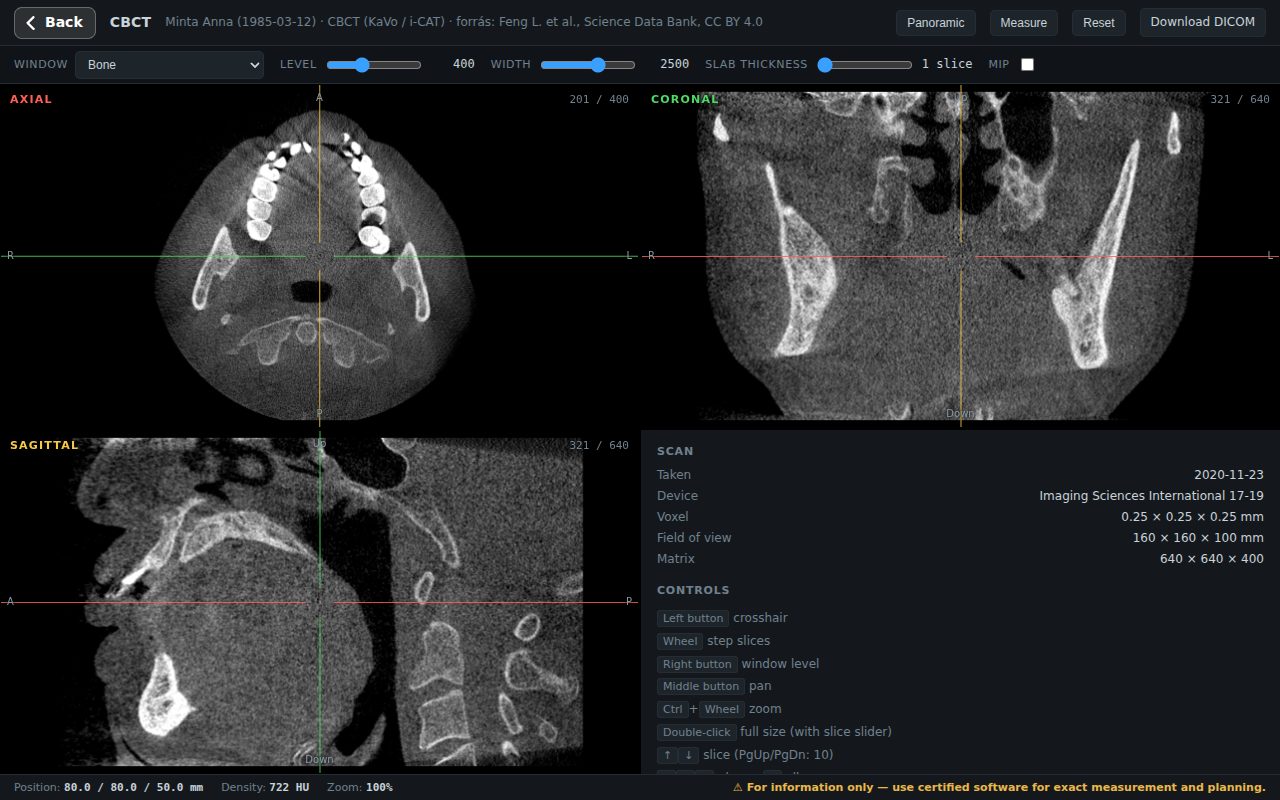
An online DICOM viewer opens the scan in Safari or Chrome, with nothing to install. A viewer that runs locally does not upload the file — it stays on your Mac, so it is fine to use with patient data.
- Copy the scan to your Mac. If it came on a CD and your Mac has no drive, use an external USB CD drive, or ask for a USB stick or a download link. A ZIP file does not need to be unpacked.
- Open the viewer in your browser and choose “Open a folder or CD” or open a file. You can select the whole folder — the viewer picks out the DICOM files.
- View it in 3D: axial, coronal and sagittal planes; scroll through slices, drag to adjust contrast.
- For dentists: curved planar reconstruction creates a panoramic view and cross-sections from the CBCT.
What about an iPad?
It works on an iPad too: select the ZIP (or the DICOM files) saved in the Files app; the iPad browser cannot open a whole folder. A CBCT is typically 200–800 MB, so older iPads with little memory can be slow — a Mac is more comfortable.
Installable alternatives for Mac
If you work with CBCT on a Mac regularly, there are installable open-source DICOM viewers for macOS too (e.g. Horos or Weasis). For implant or surgical planning, use certified planning software — no free viewer is meant for that.
CBCT in a nutshell
| Question | Short answer |
|---|---|
| What does CBCT mean? | Cone beam CT: the 3D X-ray used in dentistry, with a lower dose and a smaller field of view than conventional CT. |
| Panoramic X-ray or CBCT? | A panoramic is a single 2D image of the whole dentition; CBCT is 3D, so it is more precise e.g. for implant planning, wisdom teeth or the sinuses. Your dentist decides which one is needed. |
| CBCT vs CT? | CBCT covers a smaller area with a lower dose; its grey values are not true Hounsfield units, so density measurements are of limited use. |
Important: browser viewing is for information only; interpreting the scan is the job of the dentist and the radiologist. If you need to send the scan to a colleague, skip the CD: a secure sharing link opens instantly on their Mac, iPad or phone.
Frequently asked questions
How do I open a CBCT scan on a Mac?
With a browser-based DICOM viewer, no installation: copy the scan (folder, CD contents or ZIP) to your Mac, open the viewer in Safari or Chrome and select the folder. You don’t need the manufacturer’s Windows program.
Can I view a CBCT on an iPad?
Yes, in the browser; select the ZIP (or the DICOM files) saved in the Files app. With 200–800 MB scans, older iPads can be slow.
Is my CBCT scan uploaded to the internet?
Not with viewers that run locally: the file opens from your own device and stays there.
What does CBCT stand for?
Cone beam computed tomography: the 3D X-ray exam used in dentistry for the teeth, jaws and sinuses.
Can a free viewer be used for implant planning?
No. A browser viewer is for informational viewing; implant and surgical planning require certified planning software.
Sources
- European Commission: Radiation Protection No 172 — Cone beam CT for dental and maxillofacial radiology (evidence-based guidelines)
- DICOM Standard — dicomstandard.org
- Own measurement: size of 709 CBCT studies in a Budapest dental imaging archive (2026)