Where can I see my X-ray, CT or MRI images?
The report is in your patient portal — but where are the actual images? How to get your scans, how to request a copy, what it costs, and how to open them.
The report and the images are not the same
An imaging exam produces two things:
- the report — the radiologist’s written opinion (text, usually a PDF),
- the images themselves in DICOM format: an X-ray is a few megabytes, a CT or MRI several hundred.
They usually travel separately: the report goes to your doctor and often to a patient portal or national e-health record; the images stay with the facility that performed the scan.
How do I get the images?
- Ask right after the exam. Many facilities burn a CD on the spot or give you a download link.
- If you didn’t get them, request a copy in writing from the facility. Include your name, date of birth, the type and date of the exam, and the format you want (CD, USB stick, download link).
- Deadlines: in the EU the facility must answer within one month (GDPR Art. 12(3)); in the United States, generally within 30 days (HIPAA Right of Access, 45 CFR 164.524).
What does it cost?
- EU: you have the right to a copy of your health data (GDPR Art. 15), and the first copy is free (Art. 15(3)); the EU Court of Justice confirmed in case C-307/22 that this applies to medical records too.
- United States: providers may charge only a reasonable, cost-based fee for the copy (HIPAA).
I have them — how do I open them?
- On a CD or USB stick: see How to open a CT or MRI CD at home — you can view it in your browser without installing anything.
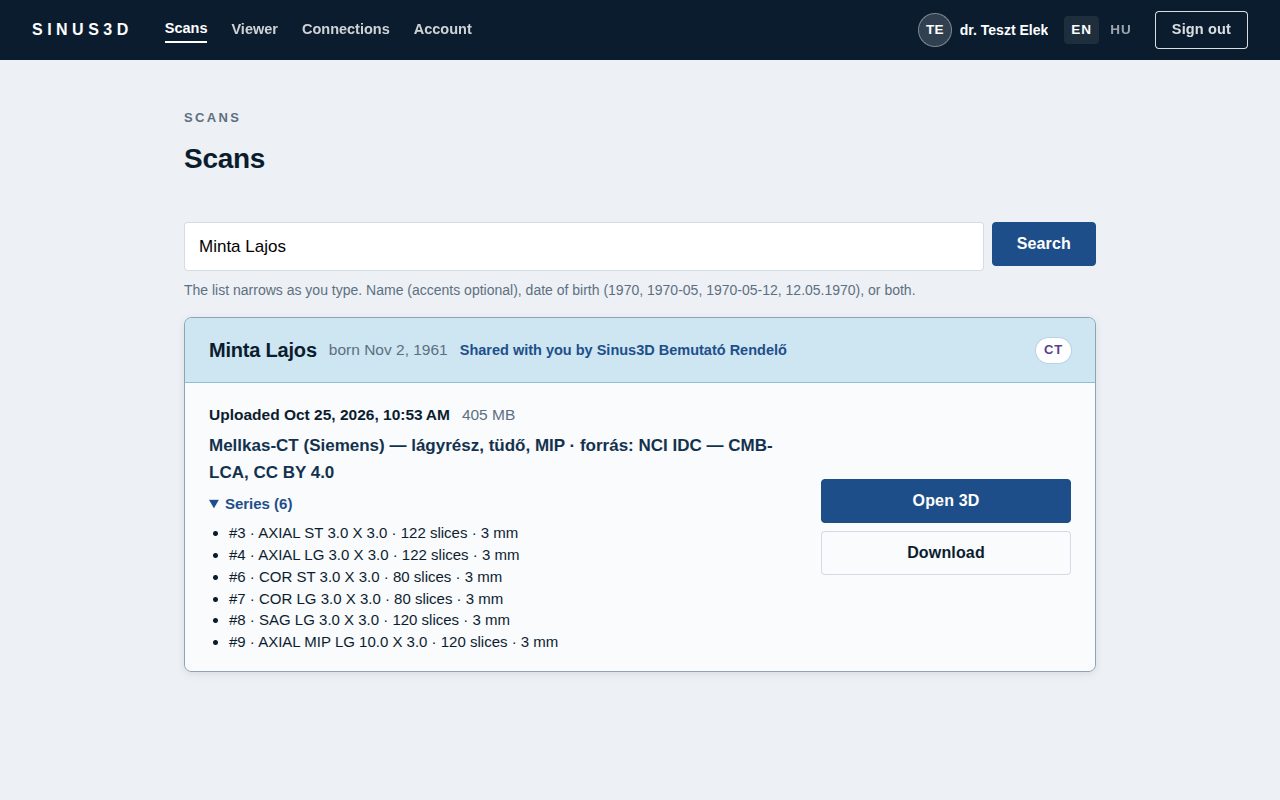
- Via a download link: the link usually opens the scan on a website; a good one asks you to identify yourself (e.g. date of birth) and lets you download it. A ZIP file opens in an online DICOM viewer too.
- As a JPG or PDF picture: that is only an illustration — when sending to a doctor, use the original DICOM.
I need to send it to another doctor — what’s best?
Mailing a CD is slow, discs get damaged, and nobody knows who looked at it. A 3D scan does not fit in an e-mail. The best way is a secure sharing link from the facility or from you: the doctor opens it in a browser immediately, the link expires, and every opening is logged.
Important: viewing your scan at home is for information only; discuss the report and next steps with your doctor.
Frequently asked questions
Can I see my X-ray or CT images in my patient portal?
Usually the portal shows the report (the radiologist’s written opinion). The images themselves come from the facility that performed the scan — on a CD, a USB stick or via a download link.
How do I request a copy of my MRI or CT scan?
In writing, from the facility that performed it: include your name, date of birth, the type and date of the exam, and the format you want. In the EU they must answer within one month (GDPR Art. 12(3)); in the US generally within 30 days (HIPAA).
Do I have to pay for a copy of my scan?
In the EU the first copy is free (GDPR Art. 15(3), CJEU C-307/22). In the US providers may charge a reasonable, cost-based fee.
I don’t have a CD drive — how can I see my scan?
Ask for a download link or a USB stick, or copy the CD to a USB stick on another computer. A browser-based viewer opens DICOM files without installing anything.