Panoramic view along the arch, with a tiltable cross-section
In the CBCT viewer a panoramic image is built from a curve drawn along the dental arch; the cross-section can be dragged and tilted.
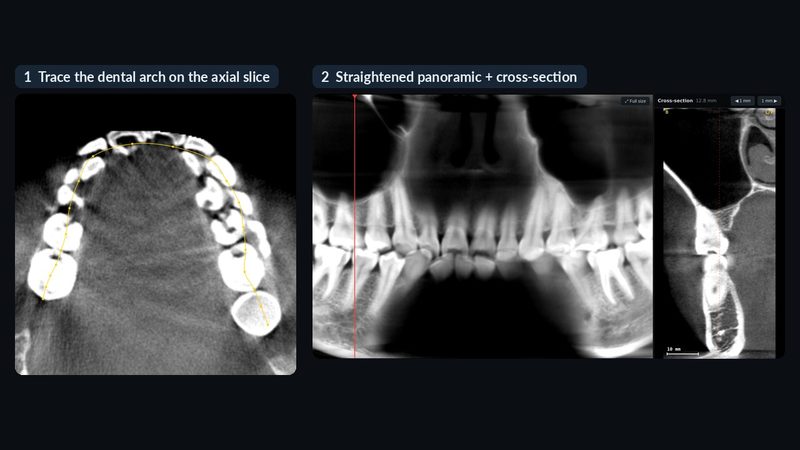
In the CBCT viewer you can create a panoramic image in a few clicks:
- Click along the dental arch on the axial image to draw the curve — the panoramic image is built from it; the slab thickness is adjustable.
- The red line marks the cross-section: drag it to move, and use the handle at its lower end to tilt it (± 45°).
- Double-click the cross-section to enlarge it to full size; you can measure on both the panoramic image and the cross-section.
Recent fix (17 November): the red line no longer jumps when you grab it, even when tilted.
The display is for information only and is not intended for diagnosis.